* All product/brand names, logos, and trademarks are property of their respective owners.
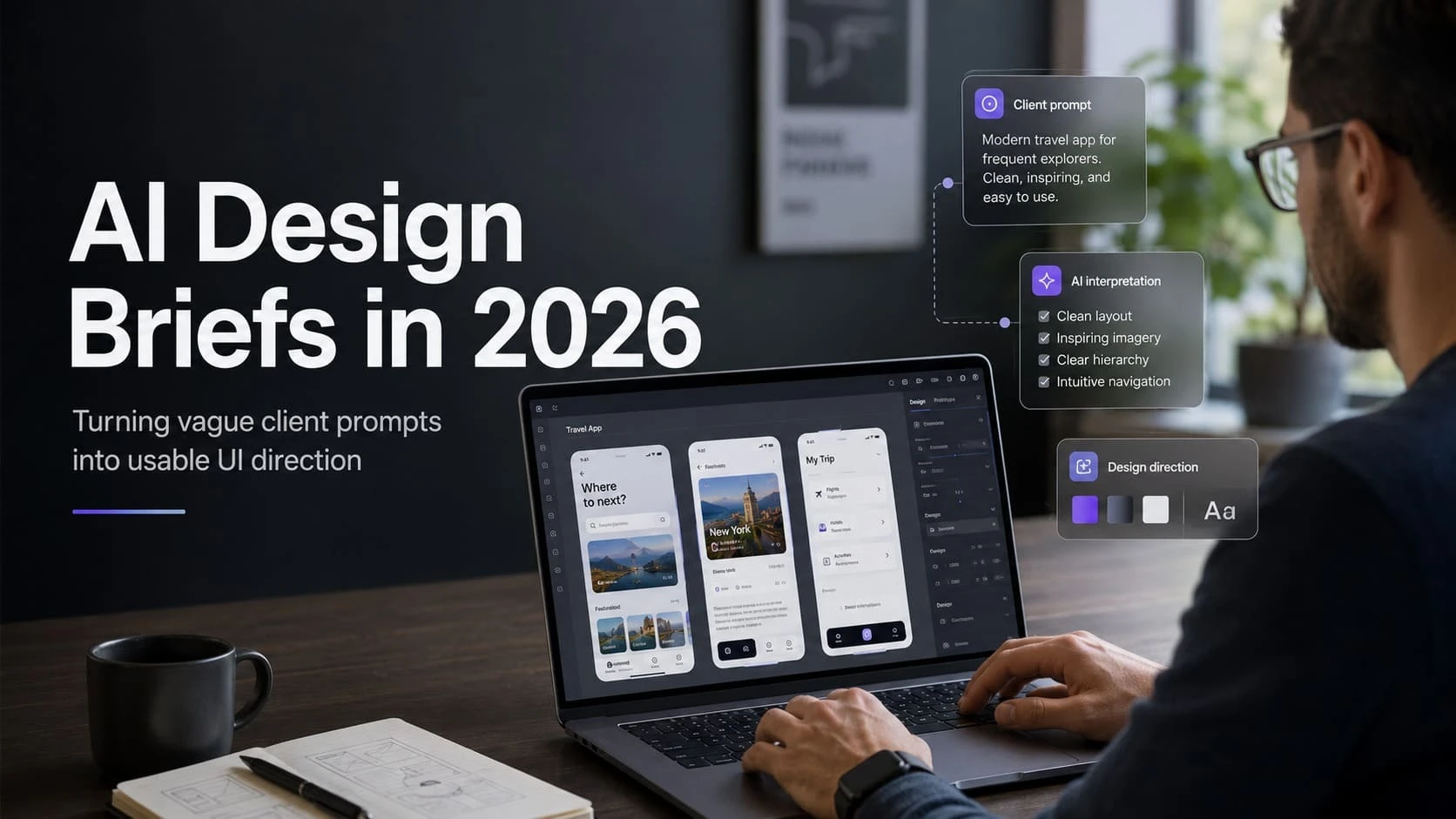
Clients rarely arrive with perfect briefs. They say things like "make it modern," "use AI," "make it premium," or "we need a clean website like our competitors." In 2026, designers can use AI tools to unpack those vague prompts, but the skill is not simply prompting faster. The skill is turning messy input into usable design direction.
This AI design brief 2026 guide shows how designers can convert uncertain client language into audience goals, page structure, visual constraints, accessibility checks, and decision-ready UI direction.
A vague brief creates hidden rework. The designer guesses, the client reacts late, and the project burns hours on subjective revisions. AI can make this worse if it produces polished-looking directions before the real problem is understood.
A better use of AI is diagnostic. Ask it to identify missing decisions, conflicting goals, unclear audiences, and assumptions that need client confirmation. The designer remains responsible for choosing what matters.
When a client says "premium," ask what premium means in their market: fewer choices, stronger photography, calmer typography, more whitespace, better proof, or higher price confidence? When they say "modern," ask whether they mean performance, motion, AI features, minimal layout, or simply not outdated.

AI can help generate these questions quickly, but the designer should edit them into language the client understands. A good question reduces ambiguity instead of showing off terminology.
| Client Phrase | Better Design Question | Design Output |
|---|---|---|
| Make it modern | What feels outdated today? | Clear visual and interaction priorities |
| Make it premium | What should users trust more? | Typography, spacing, proof, imagery |
| Add AI | What user problem should AI solve? | Feature scope and fallback states |
| Like competitor X | Which part works for your audience? | Reference without copying |
| Clean design | What content can be removed or grouped? | Simpler hierarchy |
Start by pasting the client notes, business type, target users, competitors, and project constraints into your AI tool. Ask for missing information, not visual ideas. Then create a short client questionnaire with only the questions that affect design decisions.
Next, ask AI to group the answers into audience, offer, content hierarchy, trust signals, conversion goals, brand tone, accessibility risks, and technical constraints. Use that as a working brief, then refine it manually.

AI can suggest layout patterns, but it does not know the client's political constraints, budget reality, internal preferences, or how users behave in that specific business. Designers still need to judge hierarchy, remove unnecessary sections, challenge weak content, and protect usability.
The strongest designers in 2026 will not be the ones who generate the most screens. They will be the ones who make better decisions faster.
Every AI-assisted brief should include accessibility notes. Ask which parts of the concept may create contrast issues, motion sensitivity, unclear labels, keyboard traps, or mobile overflow. Also ask whether the proposed content uses vague claims that need proof.
This turns AI from a style generator into a quality assistant. The final brief should help the client understand not only what will be designed, but why those choices serve users.
An AI design brief is not a magic document. It is a structured conversation tool. Used well, it helps designers move from vague taste words to specific product decisions.
The best workflow is simple: gather messy input, expose missing decisions, translate language into design criteria, validate with the client, and then design with confidence.
A useful AI-assisted brief can be built in a 45-minute workshop. Spend the first 10 minutes clarifying the audience and business goal. Spend the next 10 minutes collecting examples the client likes and dislikes. Use another 10 minutes to identify content that already exists and content that must be written.

Then spend 10 minutes turning the answers into design criteria: tone, trust signals, conversion goal, page priority, and technical limits. Use the final five minutes to agree what success looks like for the first design review. This structure keeps AI from becoming a visual shortcut. It makes AI support the conversation, while the designer owns the decision-making.
The final brief should be short enough that the team actually uses it. Save the audience definition, primary user task, conversion goal, required pages or states, brand tone, content gaps, accessibility constraints, competitor references, and open questions. Also, save rejected directions, because they prevent the same debate from returning later.
If AI helped generate options, include only the refined decisions, not every raw output. A good brief gives the designer freedom within clear boundaries. It also gives the client confidence that creative choices are connected to business goals rather than personal taste.
This guide is for readers of edesignify.com who want practical, current advice on AI design brief 2026 without hype or unnecessary jargon.
Start with the checklist or table in the article, then verify any time-sensitive requirement with the relevant official source or local professional before spending money.
The topic was selected because it matches the website niche, has current search interest, and can solve a real reader problem instead of only summarizing a trend.
No. The article is written to follow helpful-content principles and satisfy search intent, but search performance is never guaranteed.

Feroza Arshad is a writer and content creator covering a range of subjects including news and current affairs, automobiles, sports, technology and coding, digital marketing, and Google and search trends. Her work appears across several blogs and publications. She focuses on clear, well-researched, and genuinely useful writing — breaking down developments, reviewing products, and explaining technical topics in plain language anyone can follow.
AI is now deeply woven into design tools, and Figma is one of the clearest examples. Designers are u
4 June 2026
Scroll through LinkedIn, Instagram, or even X, and one thing becomes obvious—people are paying
22 April 2026
The way we learn today already looks very different from just a few years ago. Classrooms are no lon
13 April 2026
Be the first to share your thoughts
No comments yet. Be the first to comment!
Share your thoughts and join the discussion below.


