* All product/brand names, logos, and trademarks are property of their respective owners.
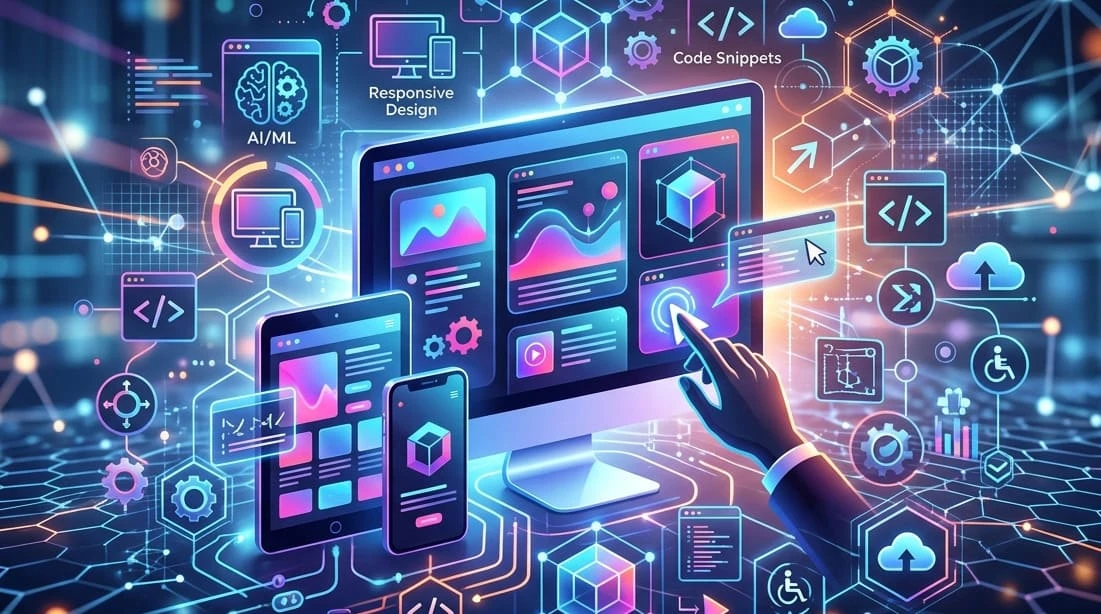
The future of web design is moving far beyond attractive layouts and modern colors. Today, a good website needs to be fast, easy to use, accessible, mobile-friendly, and smart enough to support changing user expectations.
From AI-powered design tools to no-code platforms, immersive visuals, and performance-first experiences, web design is becoming more practical and more personalized at the same time. Businesses can no longer treat their website as a static online brochure. It has to guide visitors, build trust, and make every interaction feel simple.
The future of web design will be shaped by a balance of creativity, technology, and user experience. The brands that succeed will be the ones that use new tools wisely while still keeping their websites human, clear, and useful.
Web design is changing because people expect websites to do more than look good. Visitors want pages to load quickly, work smoothly on any device, feel easy to navigate, and give them useful information without effort.

Several forces are shaping this shift:
These changes show that the future of web design is not only about visual trends. It is about creating websites that are faster, smarter, more inclusive, and easier to manage.
The future of web design is being shaped by a mix of visual innovation and practical improvements. Some trends may look exciting, but the ones that truly matter are those that improve user experience and performance.
Here are the key trends worth paying attention to:
AI is becoming a core part of the design process. Instead of replacing designers, it helps them:
This makes design faster while still allowing human creativity to lead.
Minimalism is evolving. It’s no longer just about white space—it’s about clarity with personality.
Modern websites are:
The goal is to reduce clutter while still feeling unique.
Users now expect control over how websites look.
This creates a more comfortable and personalized experience.
Small animations are making websites feel more interactive and alive.
Examples include:
These details improve usability when used carefully, but too much animation can slow things down.
Websites are becoming more engaging through:
This trend works well for brands that want to create a strong visual impact, but it must be balanced with performance.
Accessibility is no longer optional.
Designers are focusing on:
This not only helps users with disabilities but improves usability for everyone.
Speed is now a design priority, not just a technical one.
Modern websites are:
A fast website keeps users engaged and improves search rankings. These trends show that the future of web design is not about chasing every new idea. It’s about choosing the ones that improve real user experience and align with your goals.
The right tools make modern web design faster, more collaborative, and easier to improve over time. Designers no longer rely on one platform for everything. Instead, they use a mix of design, development, testing, and optimization tools.
| Tool Category | Examples | Best Use Case |
|---|---|---|
| Design and prototyping tools | Figma, Adobe XD, Sketch | Creating layouts, wireframes, and design systems |
| AI design assistants | Uizard, Framer AI, Galileo AI | Generating design ideas, layouts, and quick mockups |
| No-code website builders | Webflow, Wix Studio, Squarespace | Building responsive websites without heavy coding |
| E-commerce platforms | Shopify, WooCommerce | Creating online stores and product pages |
| Collaboration tools | FigJam, Miro, Notion | Planning ideas, sharing feedback, and managing design workflows |
| Analytics tools | Google Analytics, Hotjar, Microsoft Clarity | Understanding user behavior and improving UX |
| Performance tools | PageSpeed Insights, GTmetrix, Lighthouse | Testing speed, Core Web Vitals, and technical performance |
These tools help designers and businesses move faster, but the tool itself is not the strategy. The best results come from choosing tools that match the website’s goals, budget, team skills, and long-term maintenance needs.
Web design is also changing because the technology behind websites is becoming more flexible, intelligent, and user-focused. These technologies affect how websites look, how they perform, and how easily businesses can manage them.
AI can support personalization, content suggestions, chatbots, product recommendations, and smarter search experiences. For users, this can make websites feel more relevant and helpful.
Responsive design makes websites adjust to different screen sizes, while adaptive design can tailor the experience based on device, user behavior, or context. Both are essential as people browse from phones, tablets, laptops, and larger screens.

Progressive web apps combine website convenience with app-like features. They can offer faster loading, offline access, push notifications, and smoother mobile experiences.
A headless CMS separates content management from front-end design. This gives teams more flexibility to publish content across websites, apps, and other digital channels.
As voice search and AI chat interfaces grow, websites may need clearer content structure, natural language answers, and better search experiences.
Augmented reality and virtual reality can help users explore products, spaces, or experiences more interactively. This is especially useful for industries like real estate, retail, travel, and education.
Web3 may influence certain websites through digital ownership, blockchain-based identity, or token-based communities. However, it should only be used when it solves a real problem, not just because it sounds futuristic.
For businesses, the future of web design is not just about following trends. It is about building a website that supports real goals, such as trust, leads, sales, bookings, or customer education.
Here is what businesses should focus on:
Businesses that treat web design as an ongoing process will be better prepared. The strongest websites will continue to test, improve, and adapt instead of staying unchanged for years.
AI is changing how websites are designed, but it is not replacing web designers. Instead, it is changing their role.
AI is very good at:
However, it still lacks important human strengths.
Designers bring:
In simple terms, AI can help build a website faster, but it cannot fully decide why a design should exist or how it should connect with people.
The future of web design will likely be a collaboration:
Preparing for the future of web design does not mean redesigning your entire website every year. It means making smart improvements that keep your site useful, fast, and aligned with user expectations.

The best approach is steady improvement. A future-ready website should evolve with your audience, your business goals, and the technology available.
The future of web design will be shaped by more than visual trends. AI, no-code tools, accessibility, performance, personalization, and immersive experiences are changing how websites are planned, built, and improved. Still, the most successful websites will not be the ones that use every new technology. They will be the ones that stay clear, fast, useful, and human.
For businesses and designers, the goal is simple: use modern tools to create better experiences, not more complicated ones. That is where the real future of web design is heading.

Nigarish Nadeem is a passionate content writer and guest posting contributor who specializes in creating engaging, SEO-friendly content across multiple niches including technology, business, marketing, lifestyle, and digital trends. With a focus on quality writing and audience value, she helps brands improve their online visibility through informative and well-researched articles.
WordPress 7.0 marks one of the platform’s most talked-about updates, mainly because of its bui
22 May 2026
In today’s fast-paced digital world, a visually appealing website is no longer enough. If your
19 January 2026
As artificial intelligence has become a standard part of how websites are created and optimized, des
12 January 2026
Be the first to share your thoughts
No comments yet. Be the first to comment!
Share your thoughts and join the discussion below.


.webp&w=3840&q=75)
.webp&w=3840&q=75)


