* All product/brand names, logos, and trademarks are property of their respective owners.
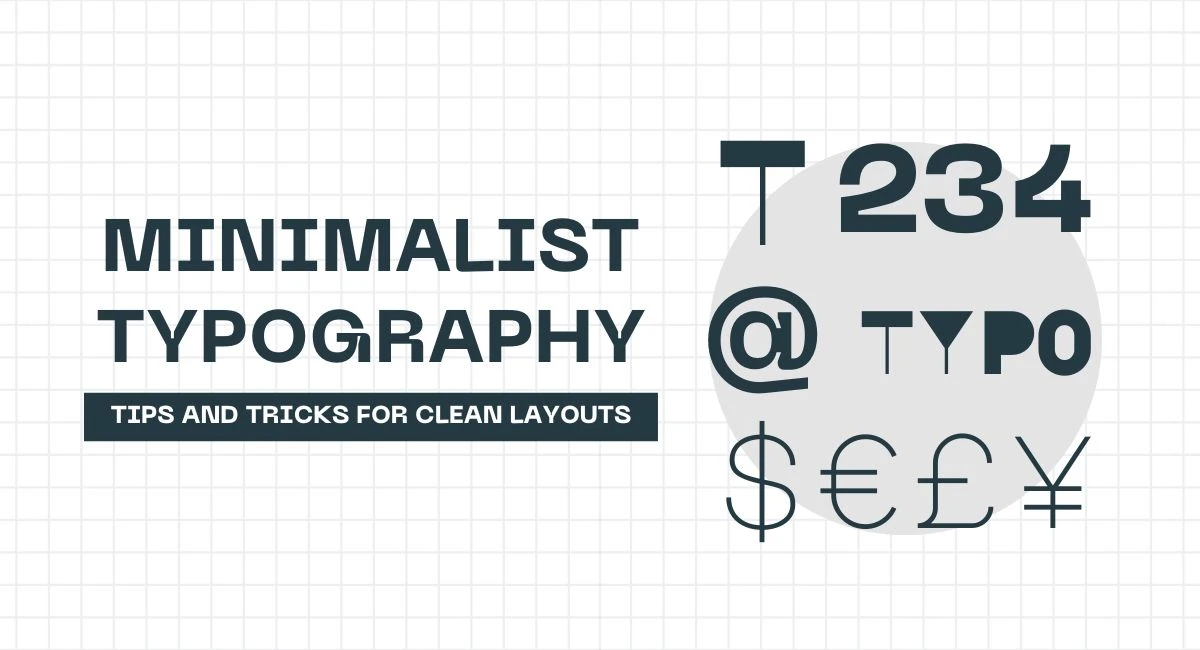
Typography is the silent workhorse of great design. It speaks volumes without saying a word — and when done right, it creates a visual rhythm that guides the eye and balances the entire layout. In the world of modern design, minimalist typography and ink trap fonts have carved out a unique niche for those who want clarity with a twist of character.
Minimalism in typography isn't just about using fewer elements — it's about using the right ones. Clean lines, generous white space, consistent alignment, and restrained font pairings create compositions that feel calm, elegant, and timeless. It’s no wonder that minimalist design dominates everything from editorial spreads and mobile apps to branding and packaging.
But here’s the twist: just when you think minimalism might look too sterile or predictable, along come ink traps — quirky, functional details in letterforms that were originally engineered for old printing techniques. Designed to prevent ink from bleeding and muddying the shapes of letters, these little notches and cut-ins now offer something more: attitude. In digital design, ink trap fonts bring personality to otherwise clean layouts — adding a slightly rebellious, gritty vibe while still maintaining legibility.
So why are designers increasingly pairing these two styles? It’s the contrast. Minimalist typography lays the foundation — crisp, orderly, structured. Ink trap fonts disrupt just enough to grab attention, add depth, and hint at a retro-tech aesthetic. The result? A layout that’s both sharp and soulful.
In this blog, we’ll dive into the principles of minimalist typography, explore how ink traps are being used in modern design, and give you inspiration — and practical tips — to experiment with this bold, beautiful combination in your own work.
Minimalist typography is all about clarity. It's not just a visual trend — it's a design philosophy. At its core, minimalism removes the unnecessary and highlights what truly matters. This means choosing fonts that are easy to read, avoiding excessive decoration, and embracing space as an active part of the layout.
A good minimalist design doesn’t scream for attention. Instead, it invites the viewer to breathe, explore, and focus on the message. It’s functional first, but not without style. Fonts like Helvetica, Futura, and Inter are favorites in minimalist design because they are neutral, versatile, and built for readability. They carry meaning without overpowering the content.
Minimalist typography also aligns perfectly with modern user behavior. With attention spans shrinking and content consumption happening at a glance, the simpler the design, the easier it is to engage.
A clean layout is never an accident — it’s built on a strong foundation of structure. One of the defining elements of minimalist typography is the intelligent use of white space. Also called “negative space,” it creates breathing room between text blocks, images, and UI elements, giving the eye a chance to rest and focus.
Grids play a huge role too. Whether it's a traditional column system or a flexible modular layout, grids bring alignment and consistency to the design. Combined with well-planned white space, they guide the reader smoothly through content.
Visual hierarchy is another key player. Through font size, weight, spacing, and color, designers lead the reader’s eye from most to least important content. A bold title, a light subheading, and smaller body text can tell a story before a single word is read.
Minimalist typography shines across many formats. In branding, it communicates sophistication and trustworthiness. Brands like Apple, Uniqlo, and Muji rely heavily on minimalist type to deliver a clean, premium feel.
In editorial design, magazines and blogs use minimalism to spotlight stories and images, letting content breathe without clutter. And in user interface (UI) design, minimalist typography enhances usability, ensuring users can read and act quickly — crucial in web and mobile experiences.
When done well, minimalist typography isn’t just pretty — it’s powerful.
Ink traps began as a technical solution. Back in the days of print-heavy newspapers and low-resolution printers, designers noticed that ink would bleed into the corners of letterforms, especially in smaller text. The solution? Carve out tiny notches — ink traps — in places where the ink was likely to pool. These seemingly odd cut-ins allowed the ink to fill in the gaps naturally, resulting in clearer, more legible letters on the printed page.
Fast forward to the digital age, and ink traps are no longer needed for functionality. But instead of fading away, they’ve been reimagined as a bold stylistic choice. Today, designers are embracing the angular cuts and quirky shapes of ink trap fonts as a way to add character to otherwise minimalist designs.
They introduce visual tension — a sharp edge in a sea of smooth curves. This contrast is exactly what makes them exciting in modern layouts.
Combining ink trap fonts with minimalist typography is about balance. Since ink trap fonts can be visually loud or highly stylized, they’re best used strategically — often in headers, logos, or highlighted text, while more neutral fonts handle the body content.
Here are a few ink trap fonts that shine in minimalist layouts:
Trap by Velvetyne: One of the most iconic modern ink trap typefaces — bold, blocky, and dramatic.
Roslindale by DJR: Offers ink traps with an elegant serif twist, great for editorial and branding.
Ginto Nord by Dinamo: A geometric sans with subtle ink trap elements — perfect for UI and packaging.
Wulkan Display: High contrast with pronounced inktraps, ideal for poster design and statement headers.
Pairing tips? Try using these fonts with sans-serif counterparts like Inter, IBM Plex, or Neue Haas Grotesk to maintain a clean, readable base.
Designers and brands are increasingly using ink trap fonts to create bold first impressions. Here are some real-world examples:
Spotify’s 2023 Wrapped campaign used exaggerated ink trap fonts in vibrant color schemes — balancing minimal layouts with high-impact text.
Tech and design blogs like It's Nice That or Eye on Design regularly showcase ink trap fonts in editorial visuals to add modern flair.
Creative agencies now build entire brand identities using ink trap logos to signal innovation, tech-forward thinking, or artistic edge.
Even in print — from album covers to packaging — ink trap fonts are showing up as tools for differentiation, proving that even in a minimalist world, a little edge goes a long way.
Minimalist typography and ink trap fonts may seem like an unlikely pair at first glance — one grounded in clarity and restraint, the other born out of practical necessity with a raw, mechanical edge. But in the hands of today’s designers, the combination is nothing short of magic.
Minimalist design offers structure, focus, and elegance. It clears the clutter, allowing the message to shine. Ink traps, on the other hand, inject that extra dose of personality — bold angles, unexpected forms, and a visual story that breaks the silence just enough to keep things interesting. When used thoughtfully, these styles don’t clash; they complement.
If you’re a designer seeking to push your layout game to the next level, this is your moment to experiment. Start with a clean grid, choose a minimalist type base, and layer in an ink trap headline to draw the eye. Contrast lightness with edge. Order with quirk. Softness with intention.
Want to take it further? Try building your own typographic set using Figma or Illustrator. Use minimalist layout techniques and bring in modern ink trap fonts from libraries like Velvetyne, Dinamo, or Future Fonts. Play with spacing, hierarchy, and tone.
Typography is more than just choosing a font. It’s about how letters communicate mood, story, and brand identity — often before a single word is read.
Whether you're designing a sleek app interface, a bold brand identity, or your next portfolio project — let minimalist typography set the stage, and let ink traps steal the scene.

No bio available yet.
Scroll through Pinterest or Instagram for a few minutes, and you’ll start noticing a pattern&m
18 April 2026
Lately, there’s a quiet feeling many of us share, even if we can’t quite name it. We scr
21 February 2026
Whether you’re a designer building your first app or a seasoned creative working on your next
22 January 2026
Be the first to share your thoughts
No comments yet. Be the first to comment!
Share your thoughts and join the discussion below.


.webp&w=3840&q=75)


