* All product/brand names, logos, and trademarks are property of their respective owners.
In today’s fast-paced world, solving problems isn’t as straightforward as it once was. We’re dealing with “wicked problems”—complex challenges that don’t have a single correct answer. Whether it’s improving user experience in tech, reshaping education, or tackling social issues, traditional problem-solving often falls short. That’s where design thinking comes in.
Design thinking is a human-centered design approach that encourages empathy, creativity, and experimentation. Instead of rushing to find a solution, it begins by deeply understanding the people affected by the problem. It’s not just for designers—business leaders, educators, healthcare professionals, and entrepreneurs around the world are turning to design thinking to crack tough challenges.
What makes design thinking especially powerful is its flexibility. You don’t need to be a design expert or have a tech background to use it. It’s a mindset and a process that helps anyone tackle problems from fresh angles.
In this blog, we’ll explore how to apply design thinking to complex, real-world problems. You’ll learn the key stages, why it works, and how to put it into action—step by step.
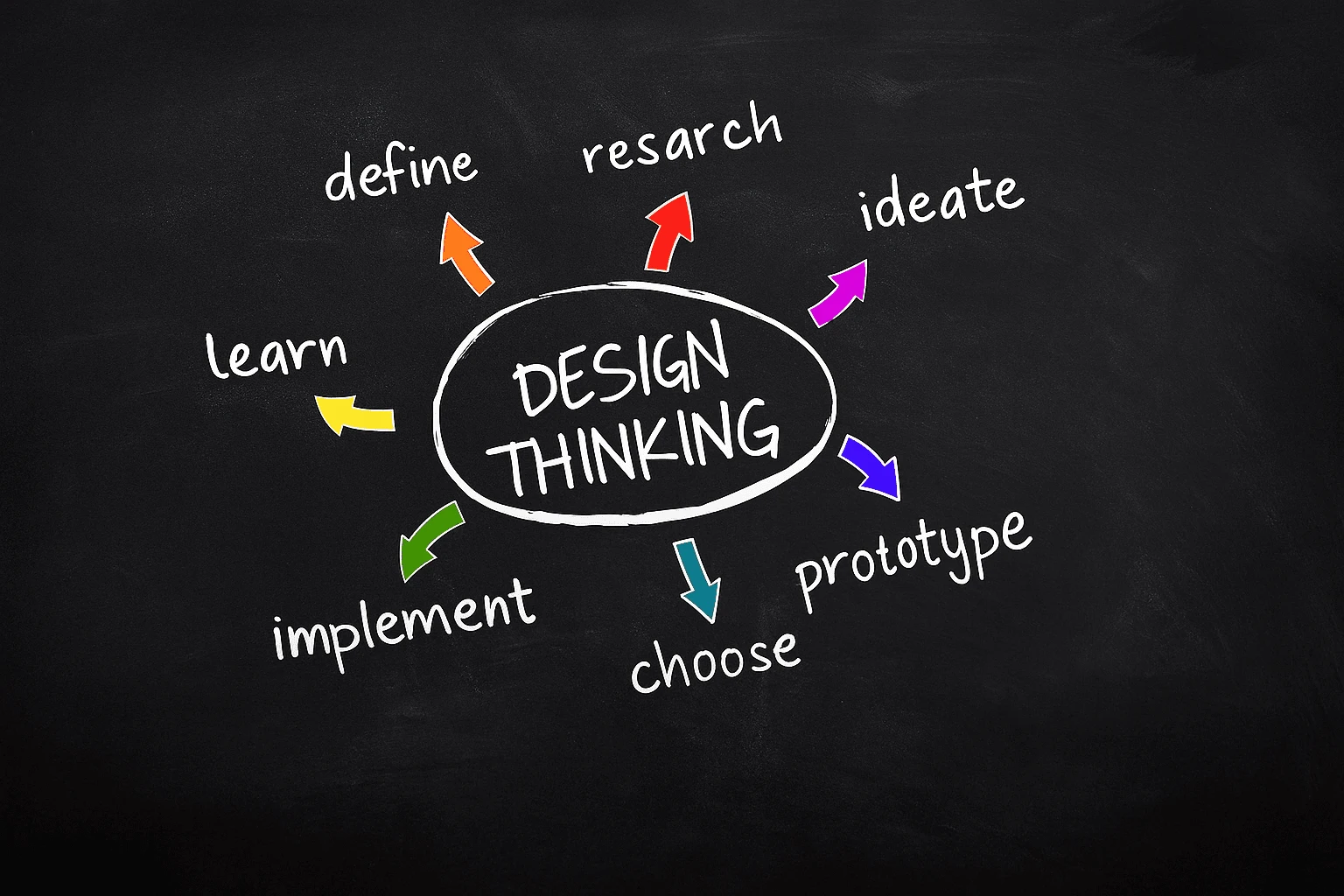
Design thinking is built on five powerful principles: empathy, definition, ideation, prototyping, and testing. At its heart is empathy—truly understanding the people you're designing for. This approach values curiosity, encourages collaboration across disciplines, and thrives on feedback. It’s not about having all the answers up front—it’s about discovering them by diving into real human needs.
This mindset helps move teams away from assumptions and toward solutions that are actually meaningful. Instead of aiming for perfection from the start, design thinking supports rapid testing and learning through low-risk prototypes.
Traditional problem-solving is often linear and analytical. It works well for technical issues but struggles with ambiguity. For example, an engineer might try to optimize a product by tweaking features without understanding whether users even want those features.
Design thinking flips the script. It’s non-linear and iterative, which means you can jump back and forth between stages. You might test a prototype early, then return to the empathy stage to refine your understanding. It’s flexible, fluid, and grounded in the user’s perspective, not just the organization’s goals.
Design thinking shines when problems are messy and unclear. These are situations where there’s no obvious solution, or where multiple stakeholders have competing needs. For instance, improving patient care in a hospital isn’t just a medical challenge—it involves empathy, logistics, and emotion.
This approach is also ideal when innovation is the goal. If you’re launching a new product, rethinking customer service, or redesigning public services, design thinking can unlock unexpected ideas and user-driven solutions.
Ultimately, it’s not just about solving a problem—it’s about solving the right problem in a way that works for real people.
Every successful design solution starts with empathy. This means stepping into the shoes of the people you’re designing for—understanding their emotions, motivations, frustrations, and daily routines. It's not about assumptions or quick surveys; it's about real conversations, observations, and active listening.
For example, a tech team redesigning a mental health app might shadow therapists and talk to patients. This gives them insight into what users truly need—not just what they think they need. This step sets the foundation for all that follows by defining the problem from the user's point of view.
Once you've gathered insights, it’s time to define the challenge. This isn’t just writing a problem statement—it’s about reframing it to unlock new ideas. Instead of saying “We need to improve our website,” you might say, “How can we make it easier for users to find what they need in under 30 seconds?”
With the problem clearly framed, the ideation phase begins. Here, the goal is quantity over quality. Brainstorm without judgment. Think big, wild, and even ridiculous. Some of the most game-changing ideas come from this creative freedom.
After narrowing down your ideas, the next step is prototyping. This doesn't mean building a full product—it could be as simple as a paper sketch, a clickable wireframe, or a role-playing scenario. The idea is to make something tangible quickly and cheaply.
Then, test it. Gather feedback. Watch how users interact with your prototype. What do they like? What confuses them? Use this data to refine the solution, or even go back to the ideation stage.
This iterative process—prototype, test, learn, repeat—is what makes design thinking so effective for solving complex problems. You're constantly learning and improving, which leads to better, more human-centered outcomes.
Complex problems don’t come with simple answers. They involve people, emotions, systems, and countless unknowns. That’s why design thinking is such a powerful approach—it invites us to slow down, step back, and truly understand the problem before jumping to solutions.
By focusing on empathy, creative ideation, and rapid prototyping, design thinking gives individuals and teams a structured yet flexible way to tackle ambiguity. Whether you’re redesigning a customer experience, improving a public service, or building a new product, this method helps you avoid guesswork and make decisions grounded in real human needs.
What makes design thinking especially valuable is that it’s not limited to a specific industry or job title. It’s a mindset anyone can adopt—one that encourages curiosity, collaboration, and experimentation. And in a world where change is constant, those qualities are more important than ever.
If you’re facing a challenge that feels messy or impossible to pin down, consider giving design thinking a try. Start by talking to your users, reframing the problem, and testing small ideas quickly. You might be surprised by how far it takes you.

No bio available yet.
Web design improves faster when you stop guessing and start practicing with purpose. It is not only
3 June 2026
Think about the last time you tried to solve a problem and got stuck. Maybe you focused too much on
11 April 2026
Design isn’t just about aesthetics — it’s about creating solutions that genuinely
28 January 2026
Be the first to share your thoughts
No comments yet. Be the first to comment!
Share your thoughts and join the discussion below.


