* All product/brand names, logos, and trademarks are property of their respective owners.
Lately, there’s a quiet feeling many of us share, even if we can’t quite name it. We scroll past stunning websites, flawless product shots, beautifully lit apps — and still something feels off. The work is impressive, undeniably. But maybe that’s the problem. It’s so polished it feels distant. In a world where AI creates perfect visuals instantly, design can start to feel machine-made for machine eyes—smooth gradients. Clean surfaces. No texture. No fingerprints. No life. That kind of perfection can feel cold. That’s why tactile craft is rising — design that feels textured, warm, and unmistakably human again
If you zoom out for a second, the rise of tactile design isn’t random — it’s emotional. It’s cultural. It’s a quiet shift happening in the background of everything we click, scroll, and tap.

For years, digital design chased the same dream: make everything cleaner, flatter, simpler. And for a while, it worked. Flat minimalism felt modern. It felt “premium.” But somewhere along the way, it also started to feel… distant. Like a perfectly white room with no furniture. You can admire it, but you don’t want to live there. Now add one more ingredient: AI.
We’re suddenly surrounded by visuals that are technically brilliant but often emotionally weightless. When perfection becomes cheap and instant, it stops feeling special. That’s the moment humans start craving something else — something imperfect, tactile, and a little more alive. That’s exactly where Tactile Craft steps in: a movement toward sensory design in digital art — design that brings back warmth through texture, depth, and physical realism.
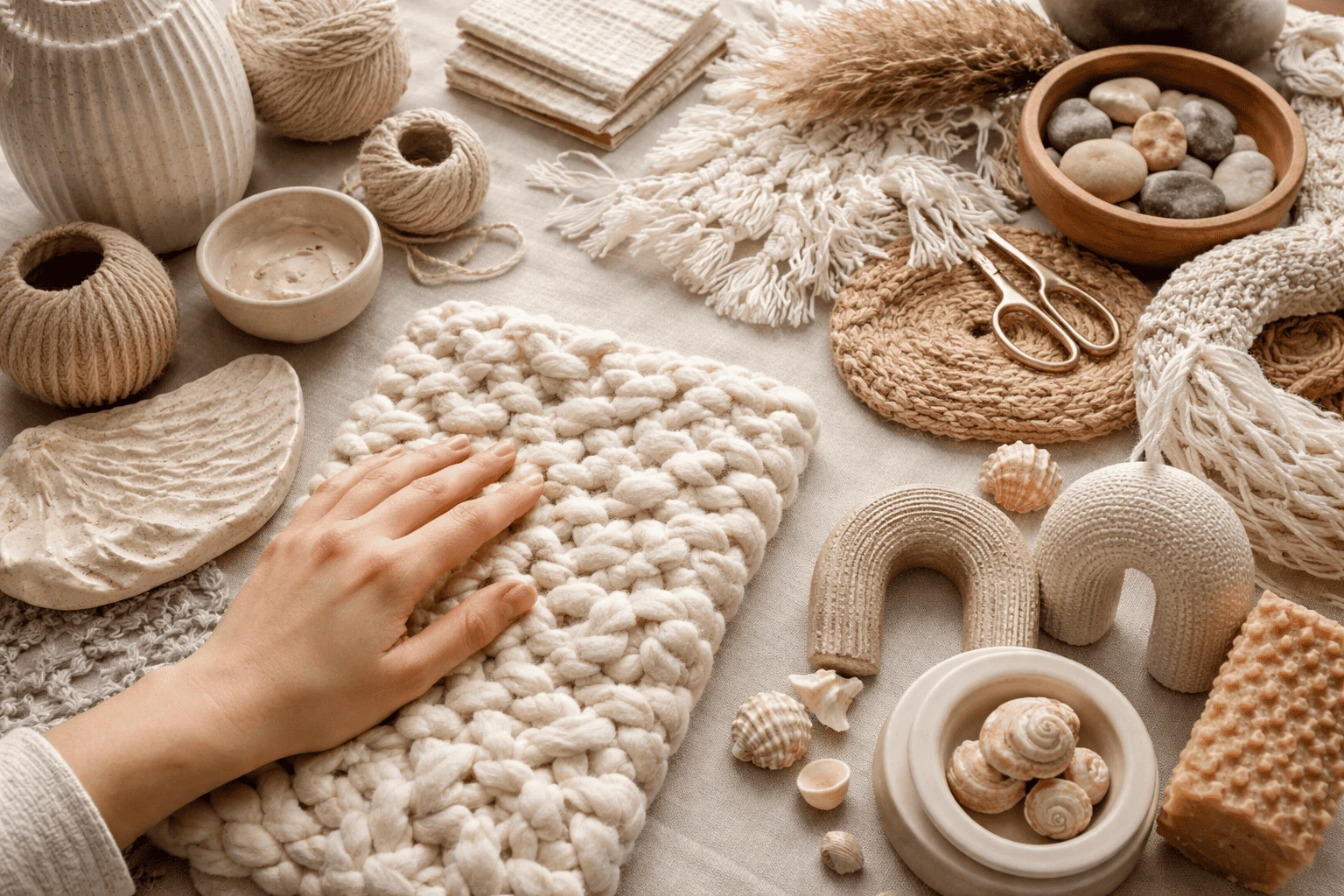
Humans don’t experience the world with our eyes alone. We remember moments through texture: the roughness of old paper, the softness of cotton, the coolness of glass, the grain of wood. Touch is tied to memory and emotion in a way visuals alone often can’t match. So when a designer creates realistic texture design — like felt-like surfaces, embroidered details, or grainy film-inspired overlays — it triggers something in the brain. We don’t literally touch the screen and feel wool, of course. But we imagine it. And imagination is powerful. It creates closeness.
This is why material-inspired design feels so comforting right now. It gives people a sense of grounding in a world that often feels too fast, too digital, too endless. The design doesn’t just communicate information — it communicates presence.
Minimalism isn’t dead. But it’s evolving. What’s happening now is less about removing everything… and more about giving design a body. Designers are moving away from flat shapes and sterile gradients, and toward textured design trends that suggest real materials and real light.
You can see this shift in fabric mimicry (wool, cotton, linen), organic surfaces (sand, bark, stone), and layered depth that makes a digital page feel like a real space. This is one reason immersive visual design is booming globally: we’re not just designing screens anymore. We’re designing environments.
Here’s what many trend reports miss: the “messy” parts are not accidents — they’re signals. When people see film grain, crumpled-paper texture, stitch lines, hand-drawn doodles, or slightly uneven edges, something clicks subconsciously: a human made this.
In the age of AI-perfect outputs, that matters. Handmade imperfections create a sense of intent — as someone cared enough to craft the experience instead of mass-producing it. That’s why craft-inspired digital design is becoming a strong creative direction for brands. It doesn’t just look cool. It feels authentic. And authenticity builds trust.
Once you start noticing Tactile Craft, you can’t unsee it. It’s in brand campaigns that look like they were made with scissors and glue. It’s in app interfaces that feel softly sculpted. It’s in website backgrounds that look like coarse linen or handmade paper. This style turns a screen into something that feels physical, layered, and human.

One of the most emotional forms of texture is fabric. It’s personal. It’s familiar. It’s tied to comfort — blankets, clothing, upholstery, warmth. That’s why we’re seeing fabric and fiber mimicry in modern design: felt, wool, cotton, linen, embroidery, and stitched edges. Paired with realistic lighting and soft shadows, these textures feel almost touchable.
This is also where claymorphism and 3D aesthetics show up — not as gimmicks, but as a way to give elements volume. And while AI can help generate texture quickly, the real magic comes from human decision-making: choosing the right imperfections, dialing down “too perfect,” and shaping the final mood.
Another branch of tactile craft feels like a handmade journal. This is the “crafted collage” style: overlapping photos, doodles, taped edges, torn-paper borders, marker textures, ink smudges, photocopy noise. It creates presence. Your eyes don’t just read — they explore. This approach also makes the design feel personal and community-driven. In a world full of templates, the scrapbook energy stands out because it feels like someone’s hands and personality are involved.
Tactile Craft pulls directly from physical materials and global craft traditions. Three inspirations shaping 2026:
Coarse linen drapery: loved for wrinkles and weave that suggest warmth and history.
Hand-finished surfaces: wood grain, plaster, ceramic glazes, and imperfections that feel lived-in.
Zellige-inspired patterns: irregular Moroccan tile shapes that make repetition feel human and cultural rather than mechanical.
These influences push design away from uniformity and toward character — the kind you can almost feel.
Tactile Craft isn’t only about how designs look anymore. It’s changing how interfaces behave. For a long time, buttons and icons were treated like flat symbols: tap, click, move on. Now, designers are aiming for interfaces that feel sculpted — like objects.
Glassy, volumetric UI styles (often described as “Liquid Glass”) make elements feel like they’re made of something: glass, gel, resin. You’ll notice deeper shadows, soft noise, shifting reflections, and highlights that mimic real lighting. This is closely connected to the rise of 3D product visualization: when something looks like a real object, it feels higher-value and more satisfying to interact with.
Neumorphism never fully disappeared — it matured. Used carefully, it creates subtle raised or inset surfaces through soft gradients and shadows. Buttons look pressed into foam or lifted from smooth plastic. Even if users don’t consciously notice it, their brains often read it as “friendly” and intuitive because it resembles how the physical world works.
To make digital elements truly feel touchable, visuals are being paired with micro-sensory cues. A soft vibration after a tap. A tiny click sound. A gentle chime. These cues make actions feel confirmed and satisfying. They reduce uncertainty, improve flow, and can even reduce stress — especially in a world where people are overwhelmed by constant digital noise. Digital design is moving from “watching” to “feeling.”
Tactile Craft doesn’t just make a brand look good — it changes how people feel while using it. And that’s what makes it powerful: user experience is also mood, comfort, and trust.

Most content is skimmed today. People scroll fast and bounce quickly because screens often feel the same. But tactile, immersive visuals slow people down in a good way. Texture and depth invite exploration — and exploration increases engagement. Even small details, like paper grain or stitched edges, can make an experience feel memorable because it has character.
As AI-perfect visuals become common, authenticity becomes a competitive advantage. Handmade imperfections act like a signature. They say: a real person was here. That’s why textured branding works so well for creators, lifestyle brands, and businesses that want to feel human-centric instead of corporate.
Digital fatigue shows up as shorter attention spans, constant switching, and mental tiredness. Flat, sterile design doesn’t help because it’s emotionally thin. Tactile Craft adds “lived sensations” — earthy textures, visible craft, sculpted UI, subtle feedback. It makes digital spaces feel less like endless information and more like a place you can exist in. That’s why it’s not just a visual trend. It’s a user experience upgrade.
Tactile Craft isn’t just a trend — it’s a reaction to digital overload and that icy perfection we’re all tired of. People miss texture: linen threads, wood grain, stitched edges, soft shadows, even subtle sound. When design feels real, it builds trust and slows the scroll. For creatives, the message is simple: study real materials, embrace flaws, and use AI wisely. The future won’t be about perfect visuals — it’ll be about feeling something real.
Related Article
Top Mobile UX Screens That Boost User Engagement

Mushraf Baig is a content writer and digital publishing specialist focused on data-driven topics, monetization strategies, and emerging technology trends. With experience creating in-depth, research-backed articles, He helps readers understand complex subjects such as analytics, advertising platforms, and digital growth strategies in clear, practical terms.
When not writing, He explores content optimization techniques, publishing workflows, and ways to improve reader experience through structured, high-quality content.
Scroll through Pinterest or Instagram for a few minutes, and you’ll start noticing a pattern&m
18 April 2026
Whether you’re a designer building your first app or a seasoned creative working on your next
22 January 2026
In today’s digital-first world, people spend more time on their phones than ever before. For a
13 January 2026
Be the first to share your thoughts
No comments yet. Be the first to comment!
Share your thoughts and join the discussion below.


.webp&w=3840&q=75)
.webp&w=3840&q=75)


