* All product/brand names, logos, and trademarks are property of their respective owners.
In today’s fast-paced digital world, having a solid web presence is crucial for any business — and that’s where skilled web designers come in. But if you’re a freelancer or run a small design agency, especially in markets like Pakistan, navigating the entire process of building a website — from receiving that first client brief to launching a fully functional site — can be overwhelming.
Most designers know how to create visually appealing layouts or work with WordPress, but many struggle with the full project lifecycle. It’s not just about design — it’s about project management, client communication, deadlines, revisions, and making sure everything runs smoothly until launch (and beyond).
This is where having a clear blueprint becomes essential.
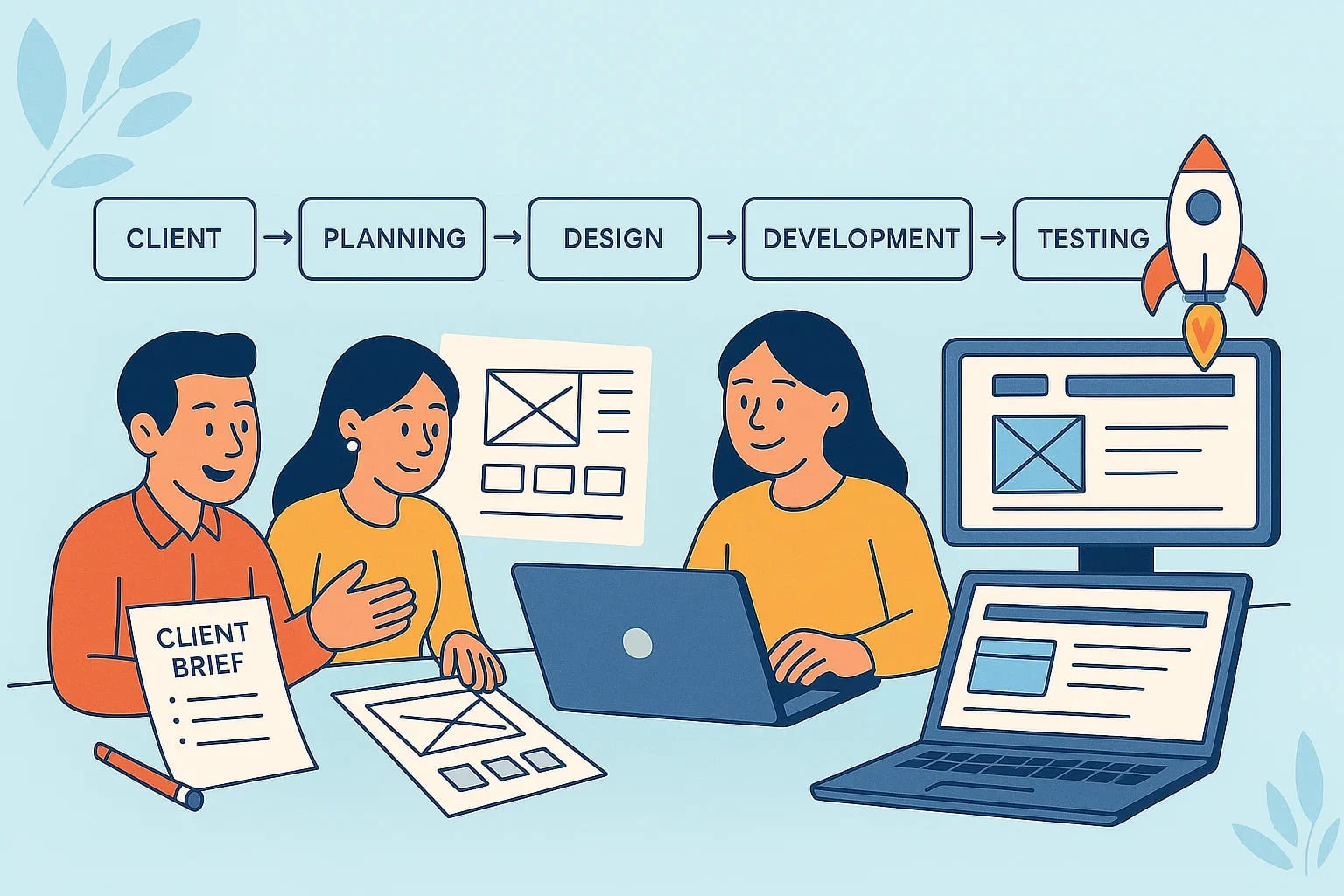
Whether you're new to the field or looking to refine your workflow, this blog will walk you through every stage of the web design process. From decoding your client’s vision and creating meaningful mockups, to testing, launching, and even offering post-launch support — this guide is tailored especially for Pakistani freelancers and small agencies who want to up their game and deliver world-class work, confidently.
We’ll break everything down into simple steps, share localised insights, and offer downloadable templates you can start using right away. No jargon. No fluff. Just a straightforward, tried-and-tested process that works in real life — not just in theory.
Ready to take your web design workflow to the next level? Let’s dive into Phase 1: From Client Brief to Design Sign-Off.
This section will guide readers through the early, critical steps of a web design project — from understanding what the client really wants to delivering the first approved design version. Let’s break it down:
Every great website starts with a strong understanding of the client’s goals, audience, and brand identity. But in many freelance or agency setups in Pakistan, this step is often rushed — leading to confusion, revisions, and scope creep down the road.
Start with a detailed client briefing session. Ask the right questions:
What is the purpose of the website? (e.g., portfolio, e-commerce, service-based)
Who is the target audience?
What are 3 websites they love (and why)?
Do they have brand guidelines (logo, color scheme, typography)?
Use tools like Google Forms, Notion templates, or even simple Word documents to create a standardised client questionnaire. This not only saves time but ensures consistency.
Pro Tip: Offer your clients a short discovery call after they fill out the form. It builds trust and helps clarify vague responses.
With the brief in hand, the next step is to research the client’s industry, competition, and user expectations.
For example, a restaurant in Lahore may need a mobile-first design with quick access to menus and reservation buttons. A law firm in Karachi might prioritize professionalism and detailed service pages.
Build a sitemap and initial wireframes — this step defines what pages the site will have, what features each page includes, and how users will navigate.
Tools like Figma, Adobe XD, or even pencil sketches are ideal for this purpose. Share drafts early to get client buy-in and reduce the risk of major design overhauls later.
Once planning is approved, it’s time to design mockups — starting with the homepage, then the inner pages.
Best practices include:
Use high-contrast, clean layouts that load fast
Stick to the client’s branding guidelines
Design mobile-first (most traffic in Pakistan is mobile-based)
Use real content or realistic placeholders — avoid “Lorem Ipsum” as much as possible
After presenting your design, expect feedback — it’s a normal part of the process. Create a revision limit policy (e.g., 2–3 rounds) and communicate it early to avoid endless changes.
Use tools like Figma comments or Loom to walk clients through the designs.
Once approved, get a written sign-off (even a simple email or WhatsApp message works) before moving to development.
With your design approved, the next step is where everything starts to come alive. This phase involves building the actual website, testing every feature, and preparing for a successful launch. Let’s break it down:
Once the design is signed off, it’s time to dive into development. Depending on the project scope and client budget, you might use:
WordPress (great for small business sites in Pakistan)
Webflow (for more interactive and design-focused needs)
Custom HTML/CSS (for lightweight, fast-loading sites)
Select a reliable local hosting provider with fast servers and responsive support — many Pakistani clients value low-cost solutions like Hostinger.pk, Bluehost.pk, or local VPS resellers.
Now, start building:
Convert approved designs into responsive layouts
Integrate real content (texts, images, videos)
Ensure on-page SEO best practices are followed: use proper heading tags, meta titles/descriptions, image alt texts, and fast loading times
Ask clients to share content early — many projects get delayed because the content isn’t ready on time.
Before launching, thorough testing is critical. Here’s a checklist:
Test on multiple devices (mobile, tablet, desktop)
Check cross-browser compatibility (Chrome, Safari, Edge)
Optimize for performance (use tools like GTmetrix or PageSpeed Insights)
Check all contact forms, buttons, and links
Ensure security features are enabled (SSL, spam protection)
In Pakistan, many users access sites on slower networks, so optimize images and scripts for speed. Lazy-load images where possible, and use caching plugins like WP Rocket for WordPress.
Don’t forget client walkthroughs — record a video (with Loom or Zoom) showing how to update the site, add blog posts, or manage content if they’ll be doing it themselves.
It’s time to go live! But don’t just hit “Publish” and walk away.
Create a website launch checklist. Include:
Domain and hosting DNS setup
Final SEO check
Google Analytics setup
Google Search Console submission
Social media sharing buttons
Backup and restore plugin configuration
Once live, confirm everything works — especially forms, payment gateways (if any), and site speed.
After launch, many clients may need ongoing support — offer a post-launch care package that includes:
Monthly backups
Security monitoring
Plugin/theme updates
Occasional content edits
Tip: Add this as an optional upsell during the project proposal phase — many clients in Pakistan are open to it if priced affordably.
Designing and launching a website is more than just picking fonts and colors — it’s a structured journey that starts with understanding a client’s vision and ends with a polished, fully functional digital experience. As a freelancer or small agency, especially in Pakistan’s rapidly growing digital economy, your ability to manage this process efficiently can set you apart from the competition.
From gathering a clear and detailed client brief to planning, designing, developing, testing, and launching — every phase matters. When done right, not only does the client walk away happy, but you also save yourself countless hours of revisions, rework, and frustration.
By following this web designer’s blueprint, you can consistently deliver high-quality websites — whether you’re based in Lahore, Karachi, Islamabad, or freelancing for clients abroad.
Ready to take your workflow to the next level?
Share this blog with fellow designers
Have questions or tips of your own? Drop them in the comments — let’s build a stronger design community together.
Also Read
Top Web Design Trends of 2025: What's In and What's Out

An SEO specialist with a strong focus on improving website rankings and search performance.
Experienced in keyword research, on-page optimization, and content strategy.
Skilled at increasing organic traffic and enhancing online visibility.
Uses data-driven methods aligned with search engine best practices.
Committed to delivering sustainable, long-term SEO results.
WordPress 7.0 marks one of the platform’s most talked-about updates, mainly because of its bui
22 May 2026
The future of web design is moving far beyond attractive layouts and modern colors. Today, a good we
4 May 2026
In today’s fast-paced digital world, a visually appealing website is no longer enough. If your
19 January 2026
Be the first to share your thoughts
No comments yet. Be the first to comment!
Share your thoughts and join the discussion below.


.webp&w=3840&q=75)


